Home/News/Dr.AISEO now supports MCP: analyze AI search and publish articles just by chatting with your AI assistant
Product
Dr.AISEO now supports MCP:analyze AI searchand publish articlesjust by chattingwith your AI assistant
Dr.AISEO Inc. has added MCP (Model Context Protocol) support to Dr.AISEO, its AI search optimization platform, available since November 5, 2026. From AI assistants such as Claude and ChatGPT (Codex), you can analyze your visibility in AI search, audit your site, manage action items (TODOs), create articles and FAQ pages, and send them to WordPress, all in conversation.
What MCP support changes
MCP (Model Context Protocol) is a common standard for connecting AI assistants to external services. Once you connect Dr.AISEO to your AI assistant, much of the work of opening dashboards, reading the numbers, and deciding what to do next can be requested in conversation.
For example, you can ask:
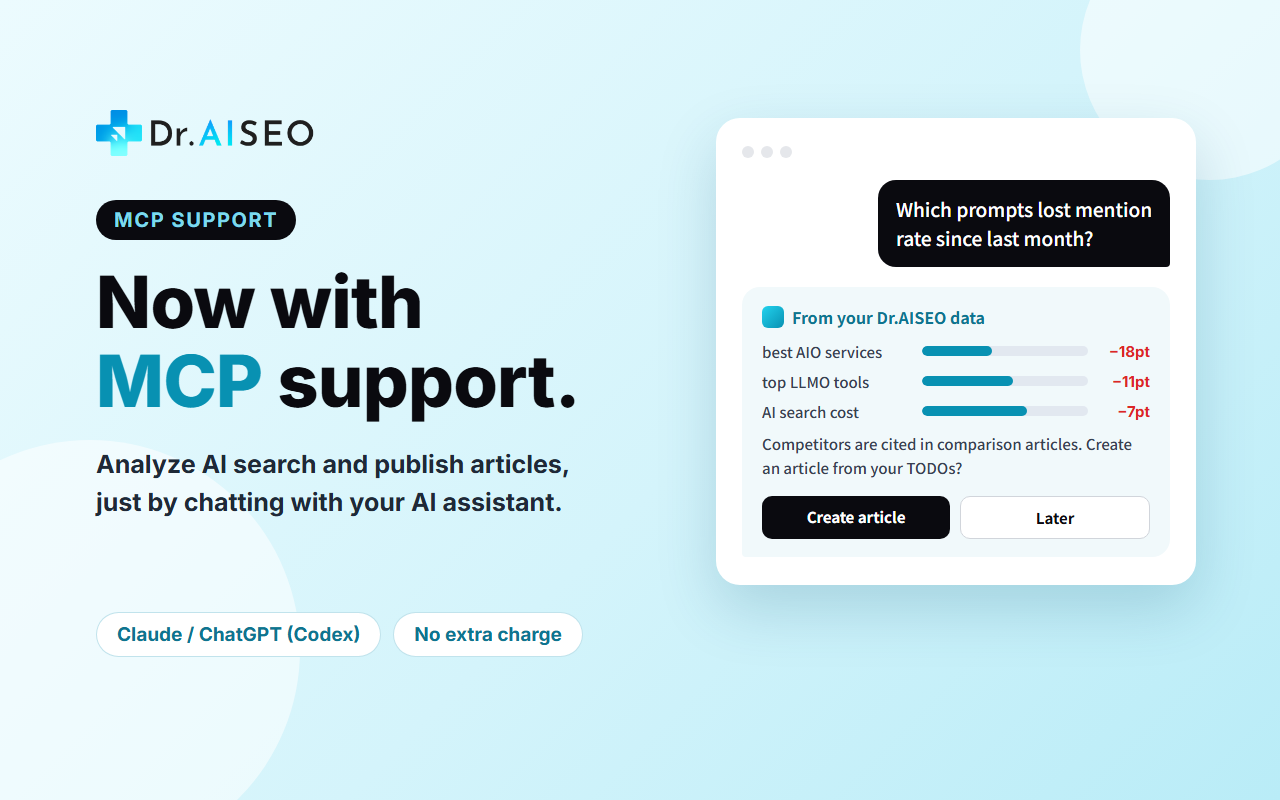
“Which prompts lost mention rate since last month? And why are we losing to competitors?”
The AI assistant pulls per-prompt results, the AI answers and their sources, and competitor comparisons from Dr.AISEO, then explains why the mention rate dropped.
Since August 2026, a growing number of AIO and LLMO tools in Japan have added MCP support. Many of them focus on reading measurement data. In addition to reading data, Dr.AISEO lets you run prompts, audit your site, manage action items, create articles and FAQ pages, send them to WordPress, and generate reports from your AI assistant. Operations that use credits require confirmation before they run and are subject to a daily limit.
A major challenge in AI search optimization is the lack of in-house expertise. By letting you move from analysis to action while asking AI about anything you are unsure of, Dr.AISEO makes it easier for companies without a dedicated specialist to keep working on AI search.
What you can do in conversation
The main operations available from your AI assistant are:
Area
What you can do
Visibility analysis
Visibility summary, KPI trends, per-prompt results, AI answers and their sources, competitor comparisons, citation rankings, query fan-out, Google AI Overviews status, and AI-referred traffic in GA4
Prompts
List, add, edit, and delete prompts; generate ideas with AI; run prompts now
Brands and competitors
Change settings; set the days for automatic runs, pause, and resume; add competitors and review competitor candidates found by AI; add and delete brands
Action items (TODOs)
List, details, and step-by-step guides; update status, assignees, and checks; send inquiries to PR TODAY (media placement)
AISEO audit
Start a full-site audit and view the results; audit a single URL
Articles
Create from a keyword, rewrite from an existing article’s URL, generate headings and body text, run an AI review, and send to WordPress as a draft
FAQ pages
Create and analyze, draft answers, change the design, export HTML, and send to WordPress
Reports
Create and download Excel and PDF reports
Brand assets
Edit first-party information (what only your company knows), writing styles, and materials
Credits
Check balance, usage, and trends
For agencies
Move prospect brands into contracted slots, issue request links to clients, and use report templates
Examples
Just ask in everyday language, and the AI assistant combines the operations it needs.
“Show the top competitor domains cited by AI, and pick the articles we’re missing from our TODOs.”
“Create an article from this TODO and send it to WordPress as a draft.”
“Make this month’s report as a PDF.”
For agencies: “Summarize the visibility changes for the 10 brands I manage.”
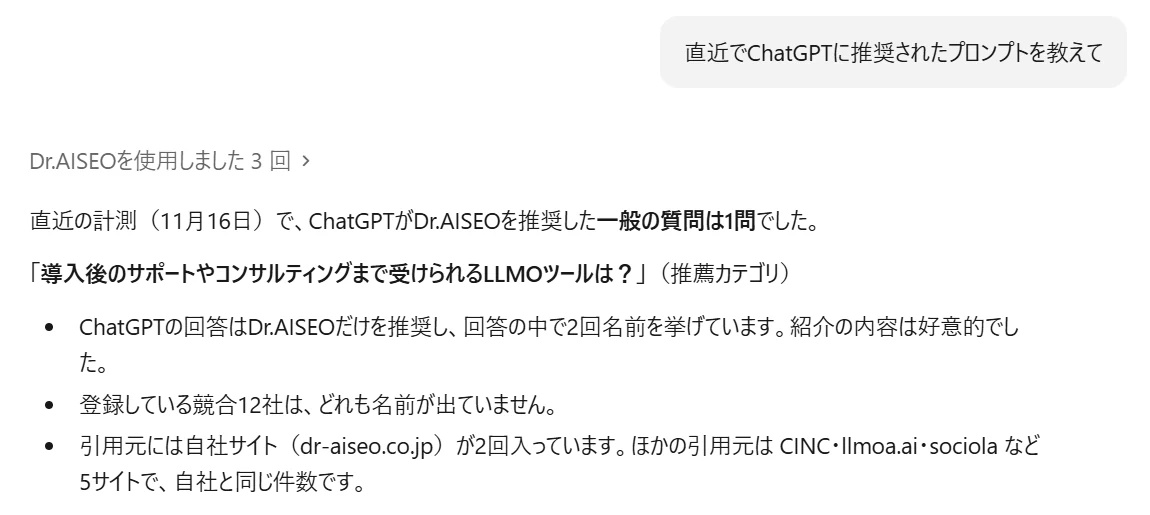
Asking Claude Code which prompts ChatGPT recommended us for. It answers based on Dr.AISEO’s measurement data (Japanese interface).
How to connect
No API key is needed. Register the following URL in your AI assistant.
https://mcp.dr-aiseo.com/mcp
Register the URL in your AI assistant: Add the URL above in your AI assistant’s settings for adding an MCP server. See the table below for where to register it in each AI assistant.
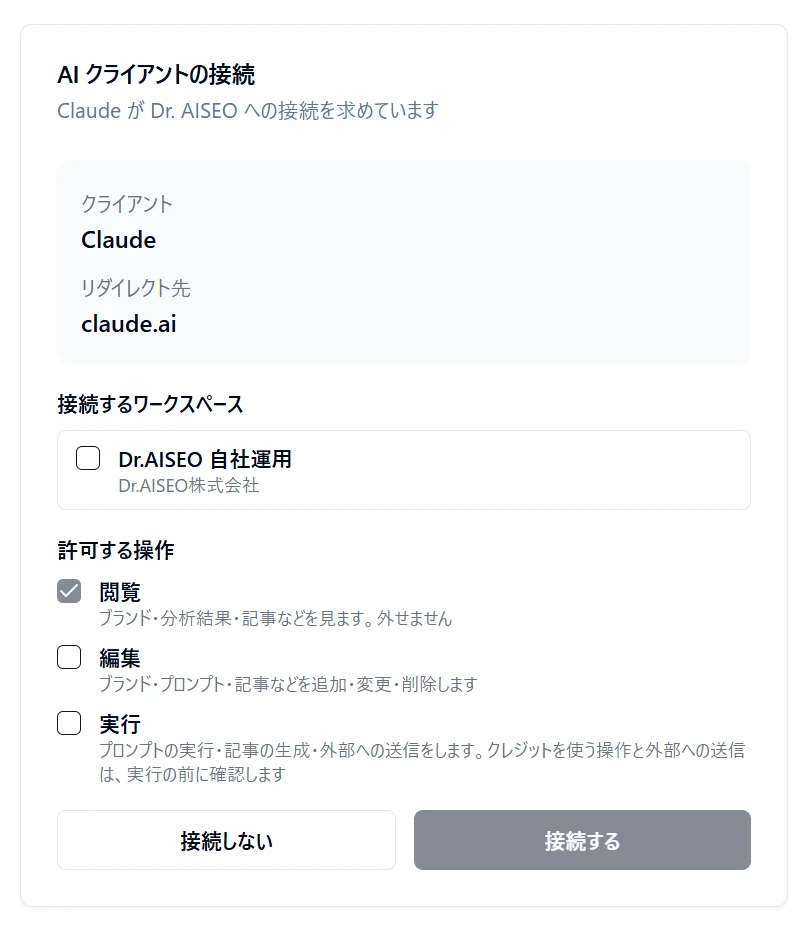
Log in to Dr.AISEO and give consent: A browser window opens. Log in to Dr.AISEO, choose which operations to allow the AI assistant (View / Edit / Execute), and consent. Only “View” is selected by default.
Use it in conversation: Ask your AI assistant what you want to do in Dr.AISEO.
Where to register the URL in each AI assistant
AI assistant
How to register
Claude (web and desktop app)
In Settings, open “Connectors,” choose “Add custom connector,” and enter the URL. On Team and Enterprise plans, an organization owner first adds the connector in the organization settings, and then each member connects from “Connectors” in their own settings.
Claude Code
Run claude mcp add --transport http dr-aiseo https://mcp.dr-aiseo.com/mcp in your terminal, then open /mcp in Claude Code and log in.
Codex
Run codex mcp add dr-aiseo --url https://mcp.dr-aiseo.com/mcp in your terminal, then log in with codex mcp login dr-aiseo. You can also add it as an MCP server in the config file (config.toml).
Other AI assistants
Add the URL from the “MCP servers” section of the settings (sometimes called “Connectors” or “Integrations”).
Screen names and steps may change as each AI assistant is updated.
Check the workspace to connect, choose which operations to allow the AI assistant, and press “Connect.” Only View is selected by default (Japanese interface).
You can review, change, or revoke the connection at any time from your Dr.AISEO account settings.
Safeguards
To prevent unintended credit use or external sending when you let an AI assistant operate Dr.AISEO, we have built in the following safeguards.
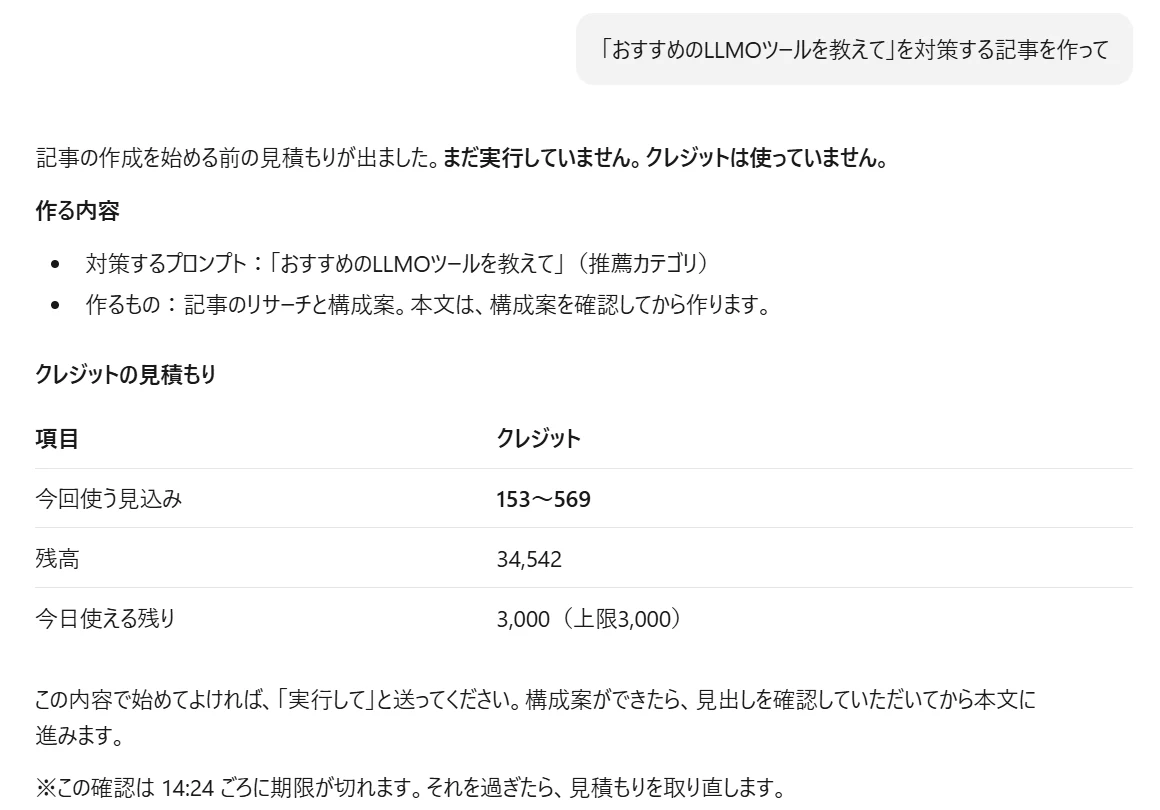
Confirmation before running: Operations that use credits and operations that send data externally (sending to WordPress, inquiring with PR TODAY, issuing request links) first return an estimate. They run only after you approve in the conversation.
Daily limit: By default, AI assistants can use up to 3,000 credits per person per workspace per day. Organization admins can change this limit, but it cannot be removed. This stops heavy usage caused by AI mistakes or by instructions hidden in external text within a single day’s limit.
You choose the scope: When connecting, you choose from View / Edit / Execute (View only by default). Permissions are checked every time an operation is called.
Handling external text: Text taken from websites or AI answers is returned with a marker, and the AI assistant is told not to follow any instructions inside it.
Operations we deliberately do not offer: Payments (changing, purchasing, or canceling plans), inviting members or changing permissions, deleting accounts or workspaces, and starting GA4 or WordPress connections are not available from AI assistants. This keeps passwords out of AI conversations.
Disconnect at any time: You can review, change, or revoke connections from your account settings.
Operations that use credits run only after showing an estimate and getting your approval (Japanese interface).
What you cannot do via MCP
Generating images and diagrams: Please create them in the Dr.AISEO app. You can still edit image descriptions and choose featured images from your AI assistant.
Payments, member management, deletion, and starting external service connections: Please use the Dr.AISEO app for the “operations we deliberately do not offer” listed above.
Overview
Item
Details
Available since
November 5, 2026
Server URL
https://mcp.dr-aiseo.com/mcp
Plans
Growth, Enterprise, and Agency (all members of an organization on these plans can use it; Free and Light are not included)
Price
No extra charge (only regular credit usage)
How to connect
Register the URL in your AI assistant, then log in to Dr.AISEO in your browser and consent (OAuth). No API keys are issued.
AI assistants tested
Claude (web and desktop app), Claude Code, and Codex