Home/Blog/Should You Measure AI Search via the UI or the API?...
Technical Guides2026.10.06
Should You Measure AI Search via the UI or the API? Why the Same ChatGPT Gives Non-Overlapping Results
Tools that measure visibility in AI search fall into two groups: those that collect AI answers from the UI (the actual screen people use) and those that collect them from the API (the interface built for developers). Even for the same ChatGPT, answers collected these two ways differ substantially, and one study found that less than 30% of the brands mentioned overlap.
20–30%Roughly how much the brands mentioned via UI and API overlap, even for the same prompt (Surfer research)
4.8%Overlap in domains cited in ChatGPT answers collected via UI vs. API
5 questionsTo confirm how each channel's data is collected when choosing a measurement tool
UI and API are not competing to be "the right one"; they are instruments that measure different things. What you should check when choosing a tool is which method it uses for each AI service (channel), and whether it discloses that.
UI collection
API collection
What it measures
The answers users actually see
The model's answers under controlled conditions
Strengths
Measures the production model, live search, and actual citations as they are
Allows comparison under identical conditions, lets you pin the model, and scales easily. With web search turned off, you can measure how much your brand is present in the model's trained knowledge alone
Weaknesses
Takes time and money
Differs from the answers users see
Best suited for
Understanding the visibility users actually see
Comparisons and tests under fixed conditions
In this article, we lay out the differences between UI and API collection with research data, and disclose which method Dr.AISEO uses for each channel.
AI search has no official metric anyone can check, unlike Google's search rankings. Measurement tools therefore send registered prompts to the AI, record the answers that come back, and build metrics from them. There are two ways of "sending" those prompts: UI and API.
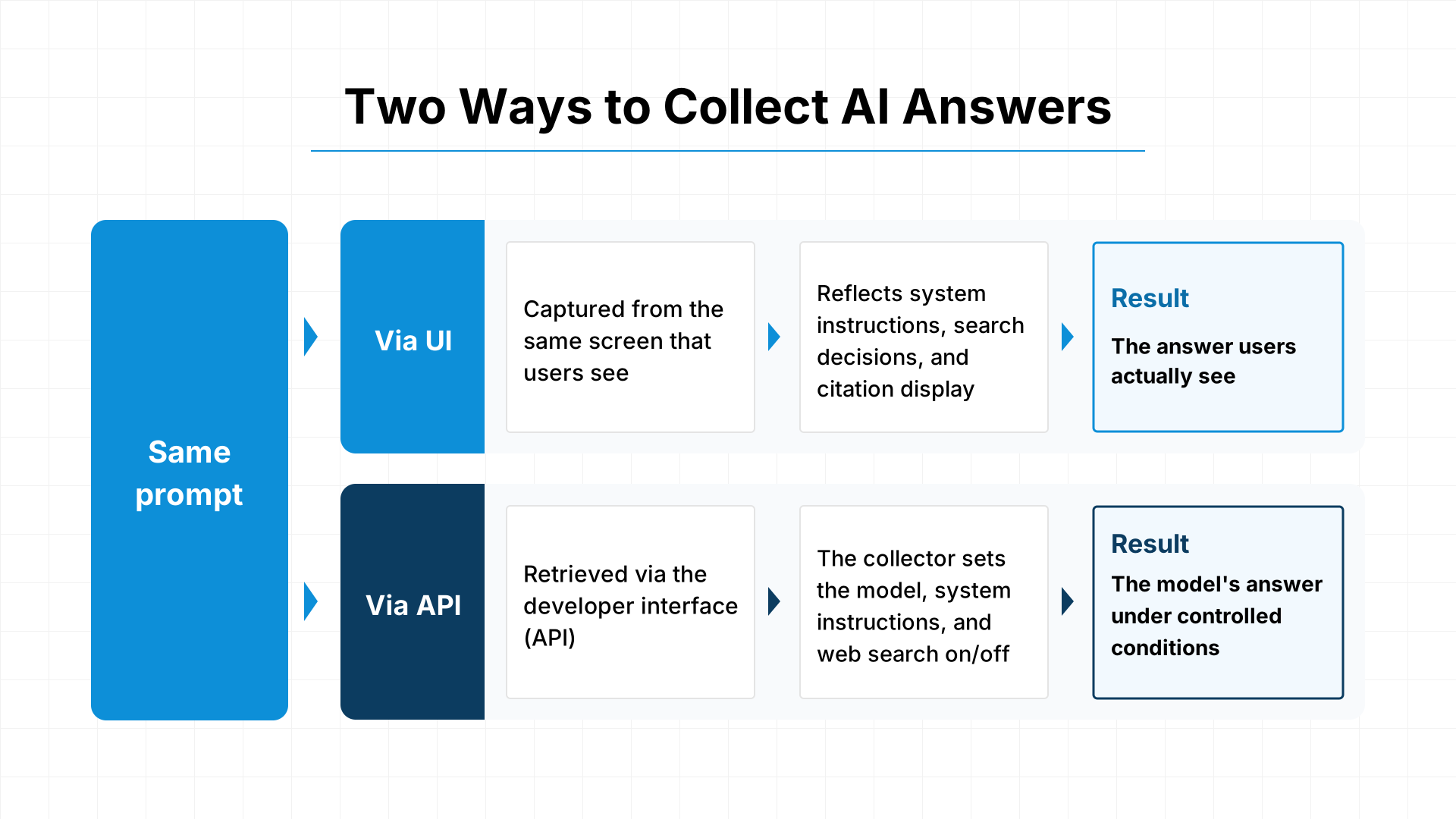
UI Collection: Capturing Answers from the Same Screen Users See
UI collection means entering a prompt into the ChatGPT or Gemini interface and reading the answer that is displayed. It is done with browser automation or specialized collection services.
The answer shown on screen reflects everything the AI service configures for general users: system instructions, decisions on whether to use search, citation display, answer length adjustments, and more. In other words, you can record the exact answer users actually see.
API Collection: Retrieving Answers Through the Developer Interface
API collection means sending a prompt to the interface (API) that an AI service provides for developers and receiving the answer.
With the API, the collector decides which model to use, the system instructions, and whether to use web search. That makes comparisons under identical conditions possible. On the other hand, it does not include the settings and features built into the consumer interface.
In addition, turning web search off makes the model answer using only its trained knowledge, without live search results. This lets you measure how much your brand is present in the model's knowledge.
How Different Are UI and API Results?
Even for the same prompt, answers collected via UI and via API differ substantially in the brands mentioned, the answer length, and the sources cited.
Only 20–30% of Mentioned Brands Overlap
Surfer collected answers to 1,000 prompts from five AI services via both UI and API and compared a total of 13,779 answers (August 2026). The overlap in brands mentioned between UI and API was only 15.5–23.8%. Even after normalizing spelling variations it was 21.3–31.6%, and even for Gemini, which had the largest overlap, only about 3 out of 10 brands matched. (surferseo.com)
Another study reports the same tendency. Petra Labs ran a single prompt 300 times with each collection method and found that the top five recommended brands overlapped by 25% between the logged-in ChatGPT interface and the API. (petralabs.com)
Answer Length and Number of Sources Differ Too
In Surfer's study, the gap was especially large for ChatGPT.
Metric (ChatGPT)
UI collection
API collection
Brands per answer
7.9
13.8
Answer word count
Baseline
About 2.05x
Sources per answer
12.1
3.1
Share of answers using web search
88%
83%
The overlap in cited domains for ChatGPT was just 4.8%. It is not unusual for brands and sources that appear in API answers to be absent from what users see on screen.
Note that this study collected each prompt only once. Because AI answers vary from run to run even under identical conditions, part of the difference is likely due to the natural variability of the answers rather than the collection method. Even so, it is clear that the two collection methods are not measuring the same thing.
Why the Differences Arise
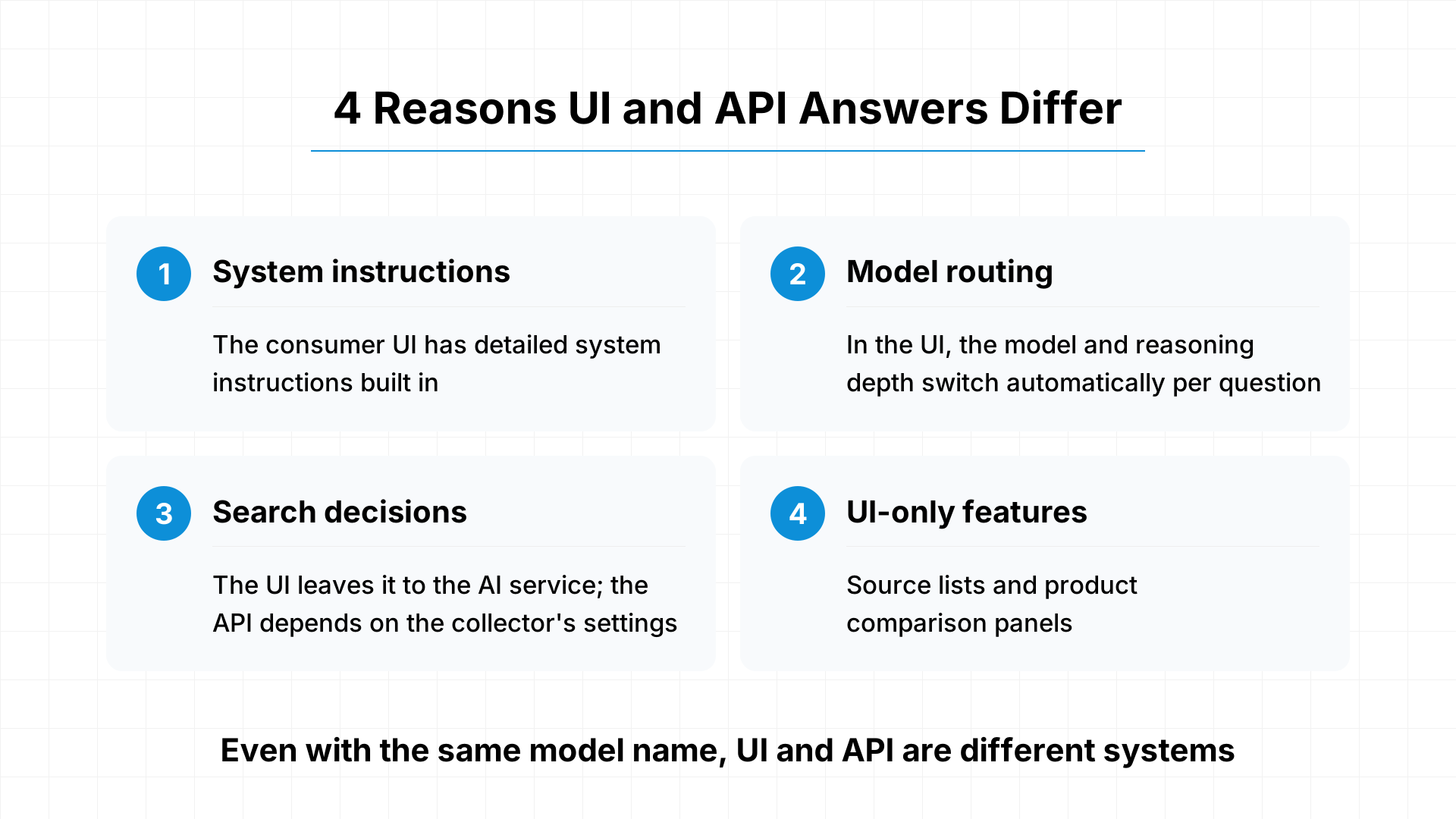
Even when they use the same model name, the UI and the API run as different systems.
Different system instructions: The consumer interface has detailed system instructions prepared by the AI service built in. A difference of a single sentence in the system instructions can change answers significantly
Model routing: In the consumer interface, the model and reasoning depth used switch automatically depending on the content of the question
Search decisions: In the interface, the AI service decides whether to search. With the API, it depends on the collector's settings
UI-only features: Elements such as source lists and product comparison panels appear only in the interface
The UI Camp and the API Camp: What Each Argues
Among measurement tool vendors, opinions are divided over whether answers should be collected via the UI or the API.
The UI Camp: Measure What Users Actually See
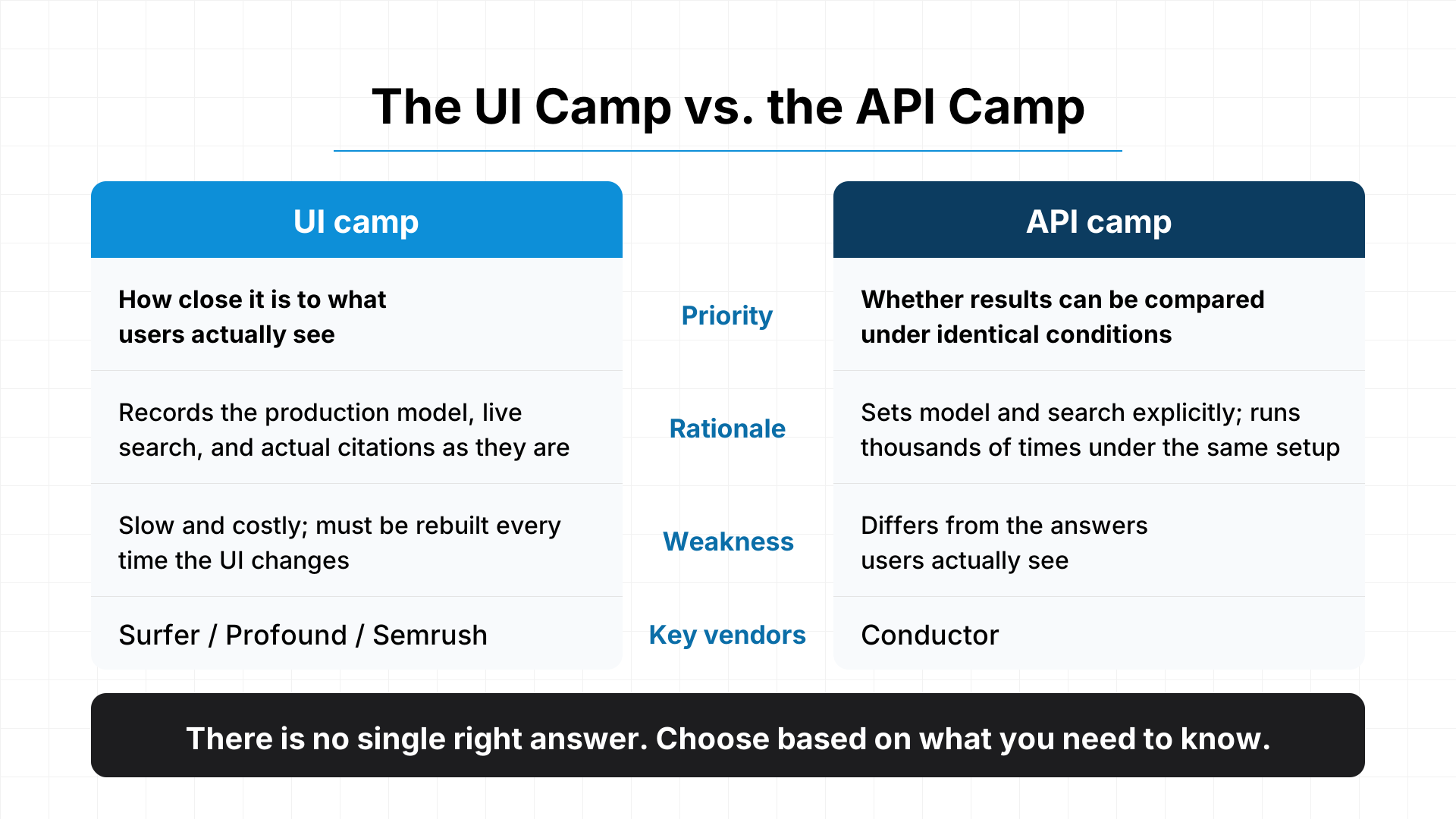
The UI camp argues that the purpose of measurement is to know how your company appears to users, and that only UI collection can measure that. Surfer, Profound, and Semrush take this position, and Surfer goes so far as to say that "you cannot track AI visibility through an API."
UI collection records the production model, the search performed in the moment, and the sources actually displayed, exactly as they are. The UI camp points out that relying on API answers risks counting brands and sources that never appear on users' screens, overestimating visibility relative to reality.
On the other hand, UI collection takes time and money, and the collection mechanism has to be fixed every time an AI service changes its interface. Even the UI camp acknowledges that it is hard to scale.
The API Camp: Measure Stably Under Consistent Conditions
The API camp argues that UI collection captures answers from only one particular interface configuration and lacks stability. Conductor is the leading example.
Real users use AI in many different environments: desktop and smartphone, free and paid plans, logged in or not. UI collection records only one of those. For example, the logged-out interface may use a different model from the one most users use, so measuring only those answers can drift from reality, the API camp argues.
With the API, you can state the model and search settings explicitly and collect thousands of times under identical conditions. Whether search was used and which sources were referenced can also be recorded together with the answer.
Both Sides Have a Point
Both camps' arguments support the method each company itself uses. Readers need to keep that in mind and separate the data from the claims.
With that in mind, the UI camp prioritizes how close results are to what users see, while the API camp prioritizes whether results can be compared under identical conditions. Because there is no single correct answer in AI search, neither is right on its own. The appropriate method depends on what you want to know.
You cannot choose between UI and API for every AI service.
Google's AI Overviews have no public API that returns the same answer, so the only option is to collect them from Google's search results page. Conversely, an answer collected from the Gemini API with grounding enabled (the feature that looks up information with Google Search before answering) is not the same as the answer shown in the Gemini app.
As this shows, the available methods differ by AI service. In practice, many measurement tools use a "hybrid" approach, switching between UI and API depending on the channel. What matters is whether they disclose which method they use for which channel.
Choosing Between UI and API by Goal
Whether UI or API is the better fit depends on what you want to learn from measurement.
Goal
Best-suited method
Why
Understand the visibility users actually see
UI
Measures the answers users actually see
Verify the impact of your initiatives under fixed conditions
API (fixed model)
Lets you track changes while excluding the effect of model updates on the AI service's side
Learn how much your brand is present in the model's knowledge
API (web search off)
Measures using only the model's trained knowledge, unaffected by live search results
Track long-term trends
Stick with one method
Switching collection methods midway breaks the trend line
With UI collection, a model switch on the AI service's side can change your numbers even if you did nothing. Pinning the model with API collection removes that effect and makes it easier to see changes driven by your own initiatives. On the other hand, a rise in API-based numbers does not necessarily mean your visibility is rising the same way on users' screens.
Whichever method you choose, it is important not to switch midway once you have decided. If the collection method changes, you can no longer tell whether a change in the numbers happened because the AI's answers changed or because the way you measure changed.
How Dr.AISEO Collects Data
Dr.AISEO chooses its collection method for each AI service.
Channel
Collection method
Key settings
ChatGPT
UI collection (default). Can be switched per organization to the official API (with web search)
UI: model and mode are the interface defaults (GPT-5.6 family as measured in September 2026), web search on, run from Japan API: model pinned to gpt-5.6-luna, no reasoning, web search always used
Gemini
Official API (grounding enabled)
Model pinned to gemini-2.5-flash
Google AI Overviews
Collected from Google's search results page
Region set to Japan, language set to Japanese
ChatGPT: Choose UI or API Depending on Your Goal
By default, ChatGPT answers are collected from the actual interface, in order to measure something close to the answers users see.
In addition, if you contact us, we can switch collection to the official API for your organization. API collection pins the model to gpt-5.6-luna, which makes it easier to track changes driven by your own initiatives without being affected by model updates on ChatGPT's side. A key strength of Dr.AISEO is that you can choose based on your goal: whether you want to know the visibility users see, or verify the impact of your initiatives under consistent conditions.
Gemini: Collected via the Official API with Grounding Enabled
Gemini answers are collected through Google's official API with grounding enabled (the feature that looks up information with Google Search before answering). Because the model is pinned to gemini-2.5-flash, it is well suited to comparisons under consistent conditions. What we measure is not the answer shown in the Gemini app itself, but the answer Gemini produces based on Google Search information.
Google AI Overviews: Collected from the Search Results Page
Because AI Overviews have no public API, we collect them from Google's search results page. With the region set to Japan and the language set to Japanese, we measure under conditions designed to reflect the answers shown when users in Japan search.
You Can Review Collected Answers in Their Original Form
Beyond the aggregated numbers, you can review the underlying AI answer text, the referenced URLs, and the cited URLs (for AI Overviews only, the referenced URLs and cited URLs are exactly the same). You can trace back to the answers yourself to see how differences in collection methods affected the numbers.
Run Frequency and How Brands Are Detected
Measurement runs automatically twice a week, on Sundays and Thursdays (once a week on the free plan). In each run, each prompt is sent once to each AI service. Separately from scheduled runs, users can also run measurements manually from the interface whenever they like.
Whether a brand appears is judged by AI. For each answer, it reads the context to determine whether your brand and each registered competitor brand appear as proper nouns. Common nouns written the same way (for example, the brand "note" versus the everyday word "note") and different companies with the same name are not counted as mentions.
Questions to Ask When Choosing a Measurement Tool
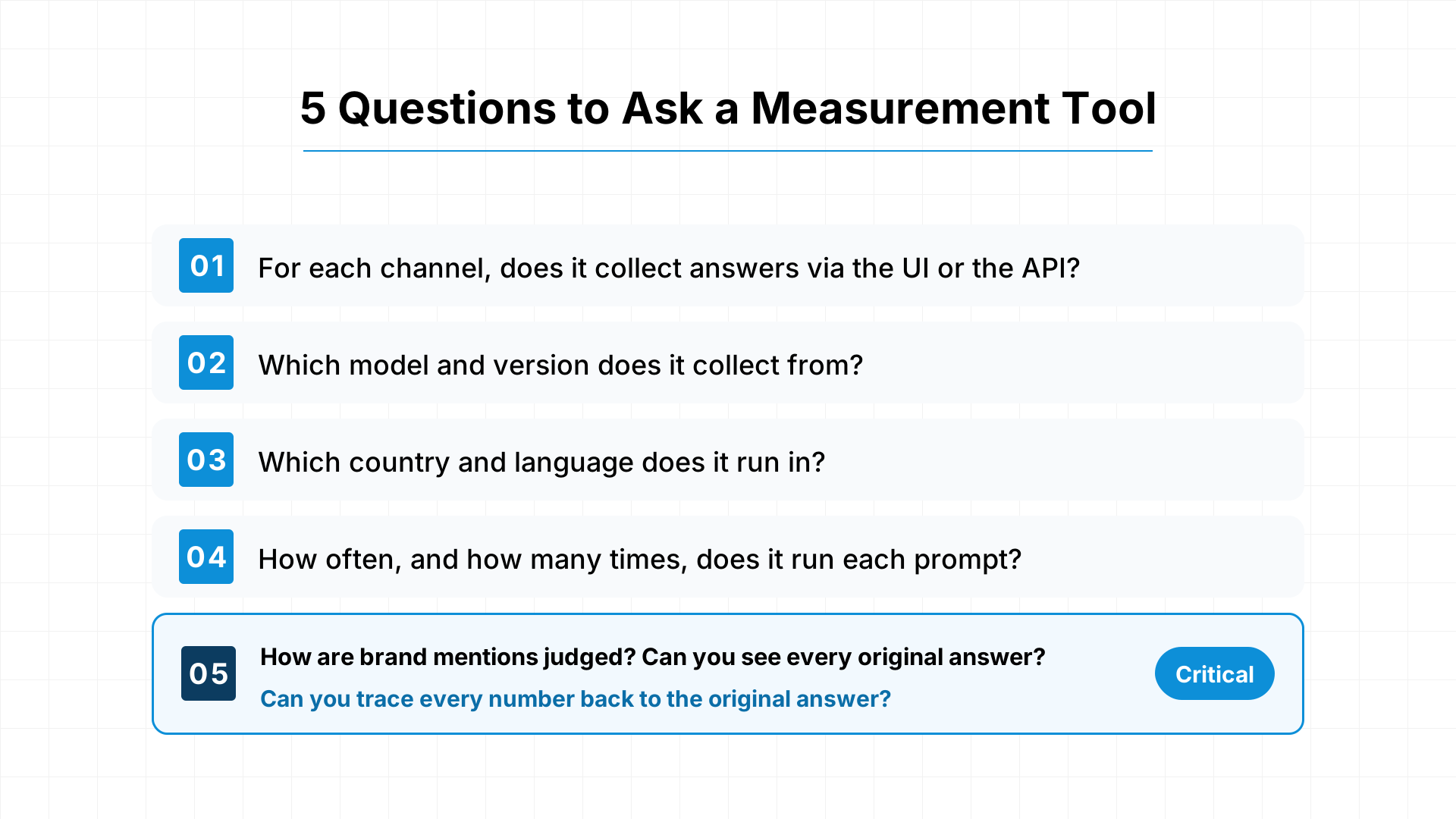
More important than whether UI or API is better is how much a measurement tool discloses about its own methods. When comparing tools, we recommend asking each vendor the following questions.
For each channel, does it collect via the UI or the API?
For each channel, which model and which version does it collect from?
Under which country and language conditions does it run? Can users specify them?
How often, and how many times, does it run each prompt?
How does it judge brand mentions? Can you review all the answers behind the numbers?
The fifth is the most important. If you cannot trace the numbers back to the original answers, you have no way to verify that they were aggregated correctly.
Summary: The Question Is Disclosure, Not Method
Even when they target the same AI service, UI and API are instruments that measure different things. The UI is closer to what users see, while the API is better suited to comparisons under consistent conditions. Neither one is simply right; what matters is choosing the method that fits your measurement goal and sticking with it.
And when choosing a tool, what you should verify is whether it discloses which method it uses for each channel.
For ChatGPT, Dr.AISEO can collect data in the same environment real users see, and if you contact us, we can switch you to API collection. Start with the free plan and see how AI presents your brand.